
Edits, captions, file specs and delivery: what to get in writing before your Las Vegas conference.
Most conference video disappointments aren't about the camera work. They're about the deliverables nobody wrote down.
The highlight reel shows up horizontal when the social team needed vertical. The keynote recording has no captions, so it can't go on the client's accessibility-reviewed site. The raw footage was never part of the deal, and the drive got wiped. None of that is a shooting problem. It's a scoping problem.
If you're planning video for a conference at the Las Vegas Convention Center, a Strip resort ballroom, or an off-property venue, use this checklist to lock down exactly what you'll get, in what format, and when. Bring it to your discovery call and get the answers in writing.
1. The core edits: name them, time them, and count the revisions
Start with the edits themselves. For each one, agree on the running time, the purpose, and how many rounds of revisions are included.
Event highlight reel. Usually the hero piece. Agree on a target length (for example, 60–120 seconds) and whether it's for next year's registration page, sponsors, or internal leadership.
Same-day or next-morning recap. If you want something on screen at the closing general session, that's a different workflow with an on-site editor. Say so up front.
Full session recordings. Keynotes, breakouts, and panels, recorded start to finish. Decide which rooms and which sessions. "Everything" is rarely the right answer on a multi-track show.
Speaker or attendee testimonials. Short interview pieces, often reused in sales decks.
Sponsor or exhibitor deliverables. If sponsors were promised video in their packages, list those pieces separately so they don't get lost. Exhibitors filming on the show floor can use our trade show booth video checklist.
Ask: How many revision rounds are included per edit, and what counts as a revision versus a new edit?
2. Session recordings: what's actually in the frame
"Record the keynote" can mean very different things. Pin down:
Camera coverage. Single locked-off camera, or multi-cam with a wide and a tight on the speaker?
Slides. Do you want the presenter's slides cut into the recording, shown picture-in-picture, or left out? Getting a clean slide feed or the deck files is usually coordinated with the show's AV team ahead of time.
Audio source. A clean feed from the house sound board sounds far better than a camera mic in a ballroom. If you're in a hotel venue, confirm the audio feed request with the in-house AV provider well before load-in.
Speaker permissions. Make sure your speaker agreements allow recording and distribution. Some speakers will only allow internal use.
3. Social cutdowns: specify the aspect ratios by platform
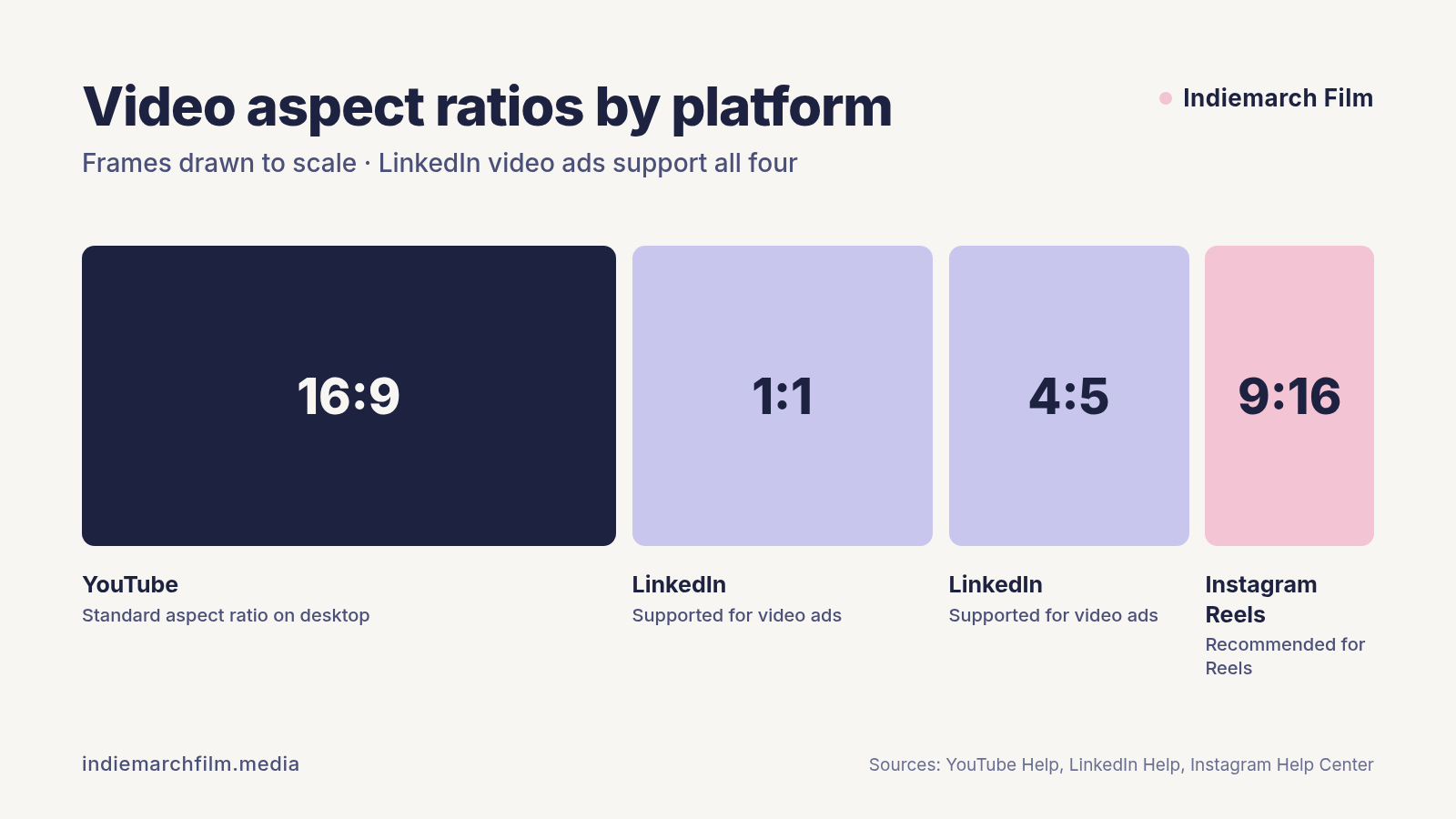
One 16:9 edit doesn’t cover every feed. LinkedIn video ads support all four ratios, and Meta recommends 9:16 for Reels.
Here's where a lot of projects go sideways. Each platform publishes its own specs, and a single 16:9 edit doesn't cover them.
YouTube uses 16:9 as the standard aspect ratio on desktop, and its player adapts automatically to vertical or square uploads (YouTube Help).
LinkedIn video ads support 16:9, 1:1, 4:5, and 9:16, with files from 75 KB to 500 MB and lengths from 3 seconds to 30 minutes. LinkedIn recommends uploading 15–30 second videos so they qualify for every feed placement (LinkedIn Help).
Instagram Reels accept aspect ratios between 1.91:1 and 9:16, with a minimum of 30 fps and 720 pixels (Instagram Help Center). Meta recommends 9:16 vertical video for Reels placements (Instagram Help Center).
Ask: Which cutdowns are included, in which aspect ratios, and how long is each? Will the crew frame wide enough on the day to allow a clean vertical crop, or shoot dedicated vertical coverage?
4. Captions and accessibility: decide before you shoot
Captions aren't an afterthought anymore. Many social viewers watch muted, and many organizations now review web video for accessibility.
The W3C's WCAG 2.1 guideline for prerecorded video (Success Criterion 1.2.2) calls for captions on all prerecorded audio in synchronized media. It also says captions should identify who is speaking and include meaningful non-speech sound, not just dialogue (W3C).
If your client is a state or local government entity, this has a deadline. The U.S. Department of Justice's ADA Title II rule adopts WCAG 2.1 Level AA as the standard for their web content, including content provided through contractors. An April 2026 interim final rule moved the compliance dates to April 26, 2027 for entities with 50,000+ population, and April 26, 2028 for smaller entities and special districts (ADA.gov, Federal Register). We're videographers, not lawyers, so loop in your accessibility or legal team on what applies to you.
On the practical side, ask for sidecar caption files, not only burned-in captions:
YouTube accepts basic formats like SubRip (.srt) and SubViewer (.sbv), plus advanced formats like WebVTT (.vtt) (YouTube Help).
LinkedIn video ad captions must be in SRT format, text only, with no custom styling (LinkedIn Help).
A good default: burned-in captions on the vertical social cutdowns (people scroll muted), and a separate .srt file for the long-form recordings so viewers can turn them on and off.
Ask: Are captions included? Human-reviewed or auto-generated? Which file formats?
5. File specs: name the export settings
You don't need to be technical, but your contract should name the master export. Common, safe references:
YouTube recommends MP4, H.264, AAC-LC audio, and uploading at the same frame rate the footage was recorded. Its recommended SDR bitrate is 8 Mbps for 1080p at standard frame rates, and 35–45 Mbps for 4K (YouTube Help).
Squarespace video blocks accept .mp4, .m4v, or .mov files up to 500 MB and 30 minutes. They display up to 1080p even if you upload 4K, and every site starts with 30 minutes of total uploaded-video storage (Squarespace Help). For long session recordings, plan on YouTube or Vimeo hosting and embedding instead.
Ask: What resolution are the masters delivered in? Will I get a web-compressed version and a high-quality master?
6. Raw footage, archiving, and usage rights
These three are the most common surprises after the event.
Raw footage. Is it included, available for a fee, or not offered? If you want it, specify the delivery method (shared drive, physical drive) and the deadline for requesting it.
Archive period. How long will the production company keep project files after delivery? If you'll want a new cut next year, this matters.
Usage rights. Can you use the footage in paid ads? Can sponsors and speakers repost it? Is licensed music cleared for paid social, or only for organic posts? Music licenses vary, so get this in writing.
7. Delivery: dates, method, and who approves
Close the loop on logistics:
Turnaround dates for each deliverable, written as dates, not "about two weeks." If your timeline is tight, see how far ahead to book a Las Vegas conference videographer.
Review process. Who on your team gives feedback, and in one consolidated round or many?
Delivery method. Download links, a review platform with timestamped comments, or direct upload to your channels.
Thumbnails and stills. If you want frame grabs or a designed thumbnail, list them. LinkedIn, for example, accepts optional JPG or PNG thumbnails up to 2 MB that match the video's aspect ratio (LinkedIn Help).
Quick checklist to copy into your RFP
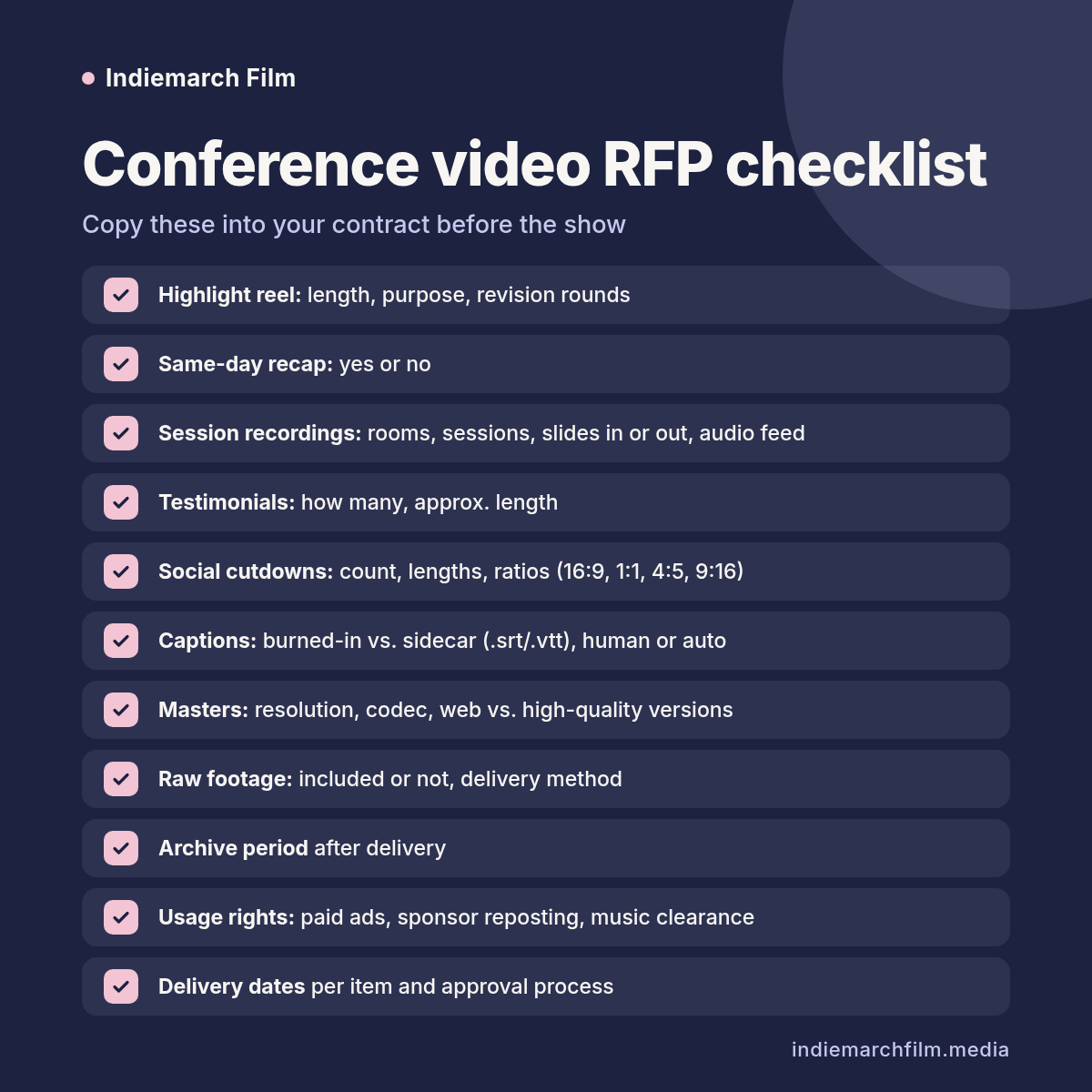
Eleven conference video deliverables to name in your RFP or contract.
Highlight reel: length, purpose, revision rounds
Same-day recap: yes or no
Session recordings: which rooms, which sessions, slides in or out, audio feed source
Testimonials: how many, approx. length
Social cutdowns: count, lengths, aspect ratios (16:9, 1:1, 4:5, 9:16)
Captions: burned-in vs. sidecar (.srt/.vtt), human-reviewed or auto
Masters: resolution, codec, web vs. high-quality versions
Raw footage: included or not, delivery method
Archive period after delivery
Usage rights: paid ads, sponsor reposting, music clearance
Delivery dates per item and approval process
Planning a Las Vegas conference shoot?
At Indiemarch Film, we scope deliverables before we talk cameras, so your team knows exactly what lands in the inbox after the show. If you're planning a conference or convention in Las Vegas, book a discovery call and bring this checklist. You can also see how we cover Las Vegas conference video production.